
Once you have purchased your managed WordPress hosting and domain name, it’s time to log in to your instance of WordPress.
Throughout the rest of these articles we will refer to your chosen domain as yourdomain.com. Wherever you see yourdomain.com you should replace it with your website’s domain name.
URLs and web addresses
Whenever your visitors want to have a look at your website, they should type yourdomain.com into their browser. If anyone asks you for a link to your website, this is what you should give them.
If visitors type yourdomain.com into their browser, they will be taken to your website’s home page. This is like the front page of a newspaper, or magazine. It contains the most up-to-date and attention grabbing content on your website. All other content on your website is specific to a particular subject matter.
To enable visitors to go straight to a specific page in your website, all pages have a unique web address; also known as a URL. The URL of your home page is yourdomain.com, but you might have a web page called ‘Contact Us’. This page’s URL might by yourdomain.com/contact-us. If visitors type this URL into their browser, they will be taken straight to the Contact Us page, rather than the website’s home page.
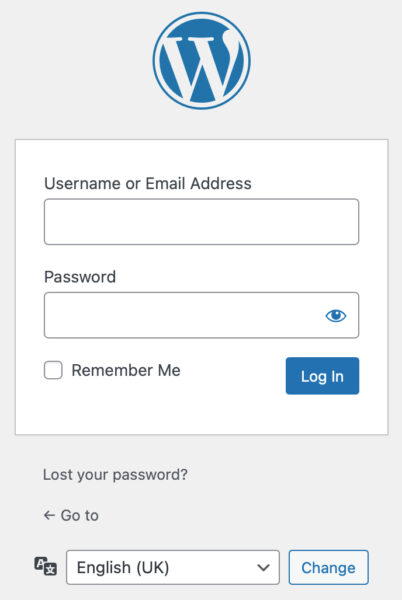
Logging on to WordPress to manage your website
When you want to edit, or manage, your website you will need to go to a specific page in your web site. Its URL is yourdomain.com/wp-admin. Once the page has loaded you will see the WordPress login form. It requires you to enter your username (or email address) and password. These two login credentials should have been provided to you when you set up your website hosting; or maybe you had to create them yourself when you created your website hosting account.
Enter your login credentials and press the blue [Log in] button.
We do not recommend that you tick the Remember Me option box. This saves your login credentials and automatically enters them for you the next time to attempt to log in to your web site. This could be a security risk, especially if the computer you are using is used by several other people – but the choice is yours.
Security when logging in
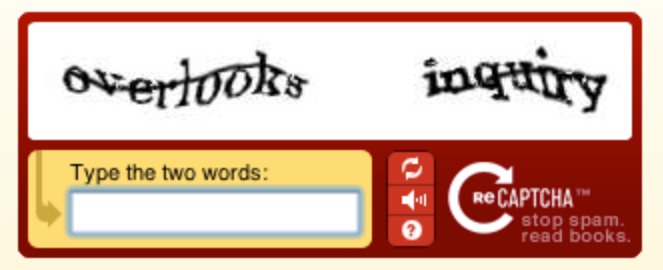
Some web site hosting companies add a level of security to your web site called a captcha. Captchas are designed to stop malicious software from logging in to your website and making unwanted changes to your it. They usual involve displaying a series of characters in a strange way that only a human can read, or identifying a number of objects from a 3×3 or 4×4 grid. Modern malicious software can be pretty clever these days and this renders captchas semi-redundant – and some people find them equally difficult to use. So you may encounter one of these when logging in to your website.